How to get your first 100 App Store reviews: the exact method
App Store ranking takes review volume, velocity, and sentiment into account. The ask goes out after the first concrete result, within a limit of 3 prompts per year per user.

Article summary
- The App Store algorithm uses review volume, velocity, and sentiment to decide where the app appears.
- SKStoreReviewController is limited to 3 prompts per year per user. Rewarding a review is forbidden.
- The right moment is right after a tangible result, such as the first export, not at sign-up or on open.
- An in-app screen sends unhappy users to private feedback and happy users to the Apple popup.
- Replying within 48 hours notifies the review author, who can then change their rating.
Summarize this article with
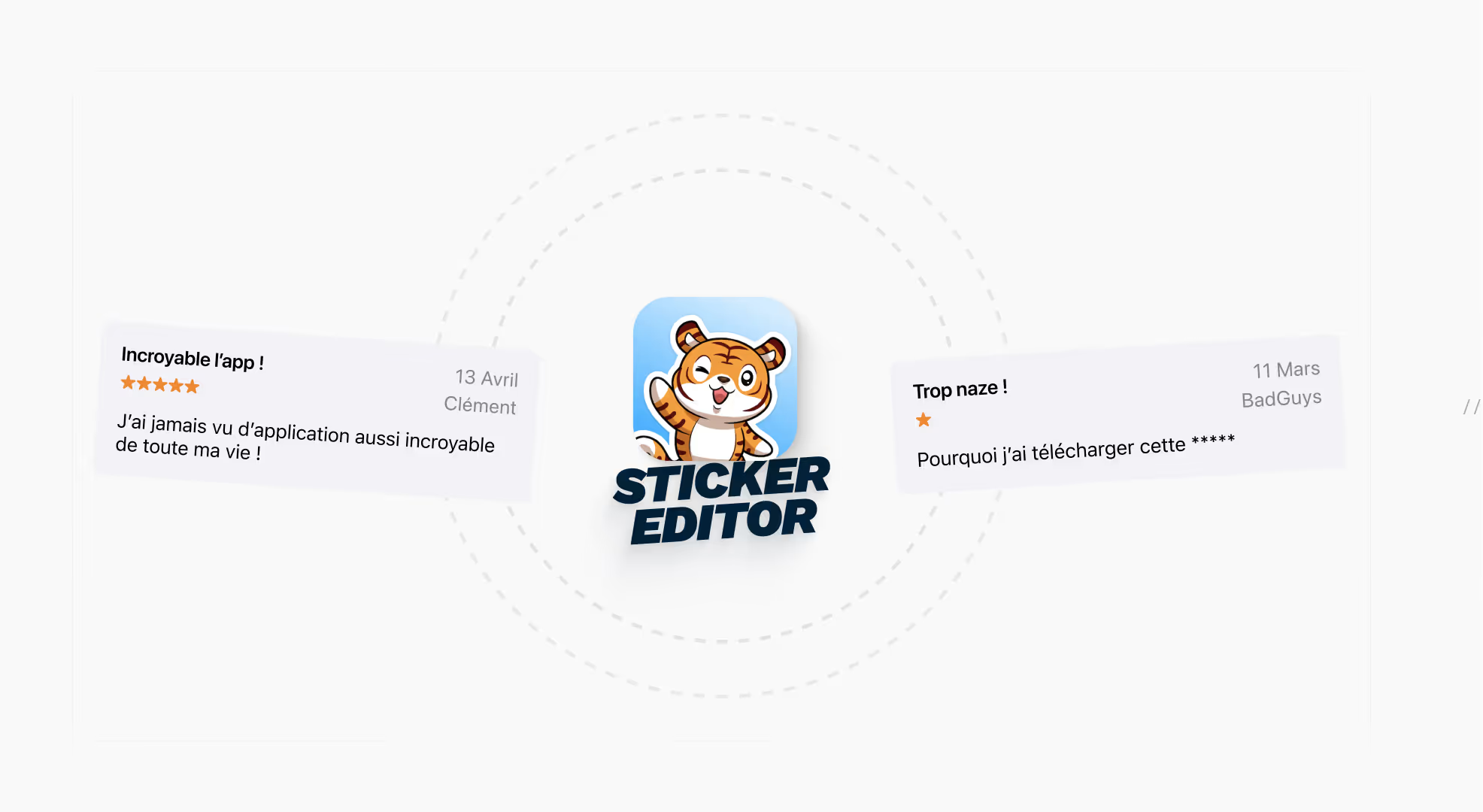
90% of apps have a rating ≥ 4.0 stars. Zero reviews at launch means a dead listing. firstapp explains how Sticker Editor went from 30 to 100+ reviews in a few days, without cheating, without paying. And why timing is the only variable that really matters.
Why reviews are a growth lever, not just a "nice to have"
Most founders treat App Store reviews as a satisfaction indicator. That is a misread.
Reviews are a ranking signal in their own right. The App Store algorithm takes volume, velocity (how fast they arrive), and review sentiment into account to decide where your app appears in search results. The faster reviews arrive, the more the algorithm reads your app as "active and relevant".
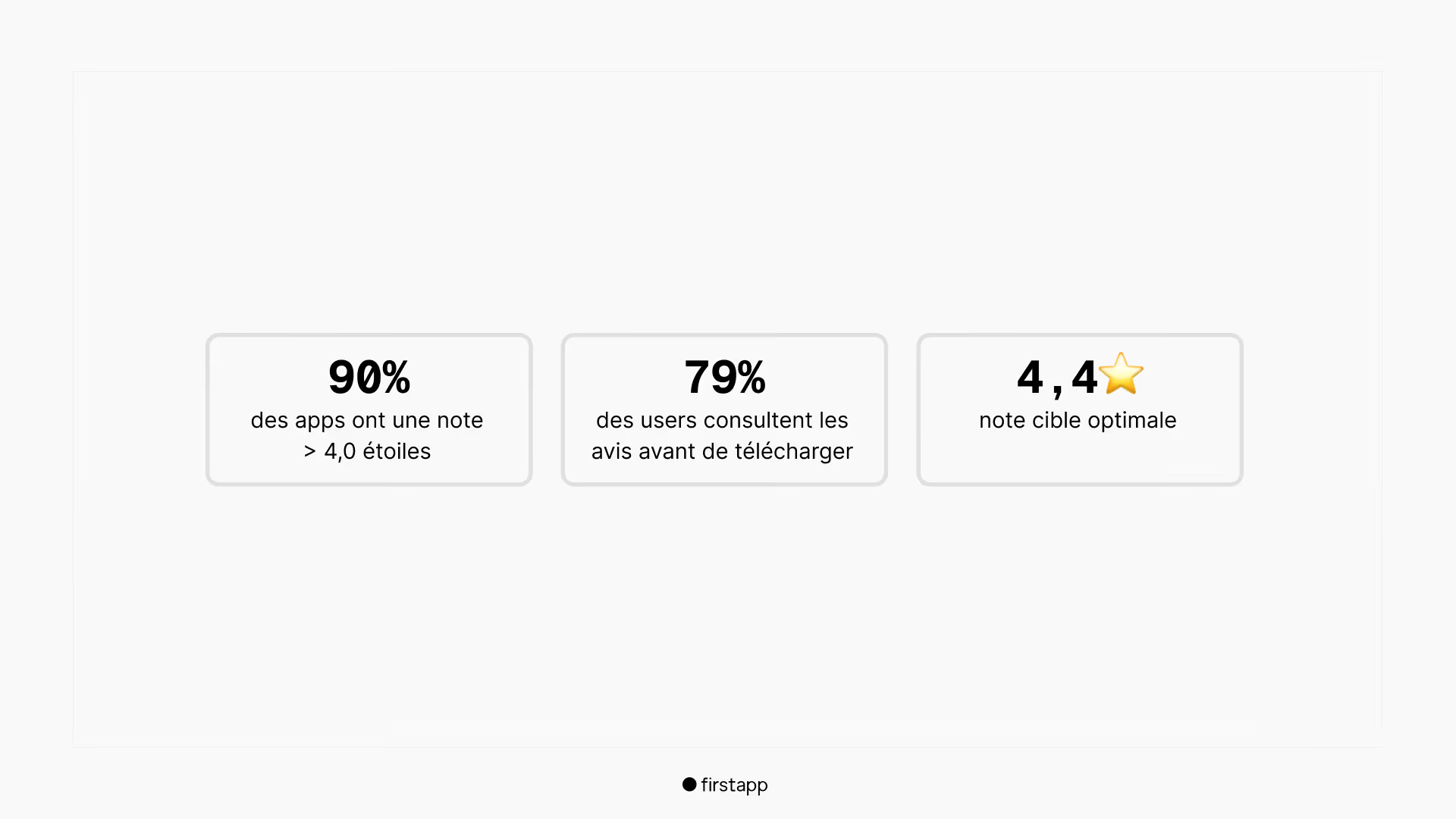
Sources: AppTweak ASO Benchmarks 2025
For Sticker Editor, a creative sticker-making app, the challenge was twofold: build a credible review base and keep enough velocity to signal to the algorithm that the app is very much alive.
Newsletter
Once a week.
Last issue
We opened 10 apps to see how they sell a subscription.
+534 people read us each week
The review growth loop: the simplest machine in mobile
Before the technique, a basic principle many founders miss: reviews are not requested "at the end". Not when the user is about to leave. Not after a disappointing session. Not in a cold follow-up email.
The right timing is high emotion. Right after the first "wow moment", or what I call the "aha moment". When the user has just gotten a concrete result. When they are happy, and that satisfaction is still fresh.
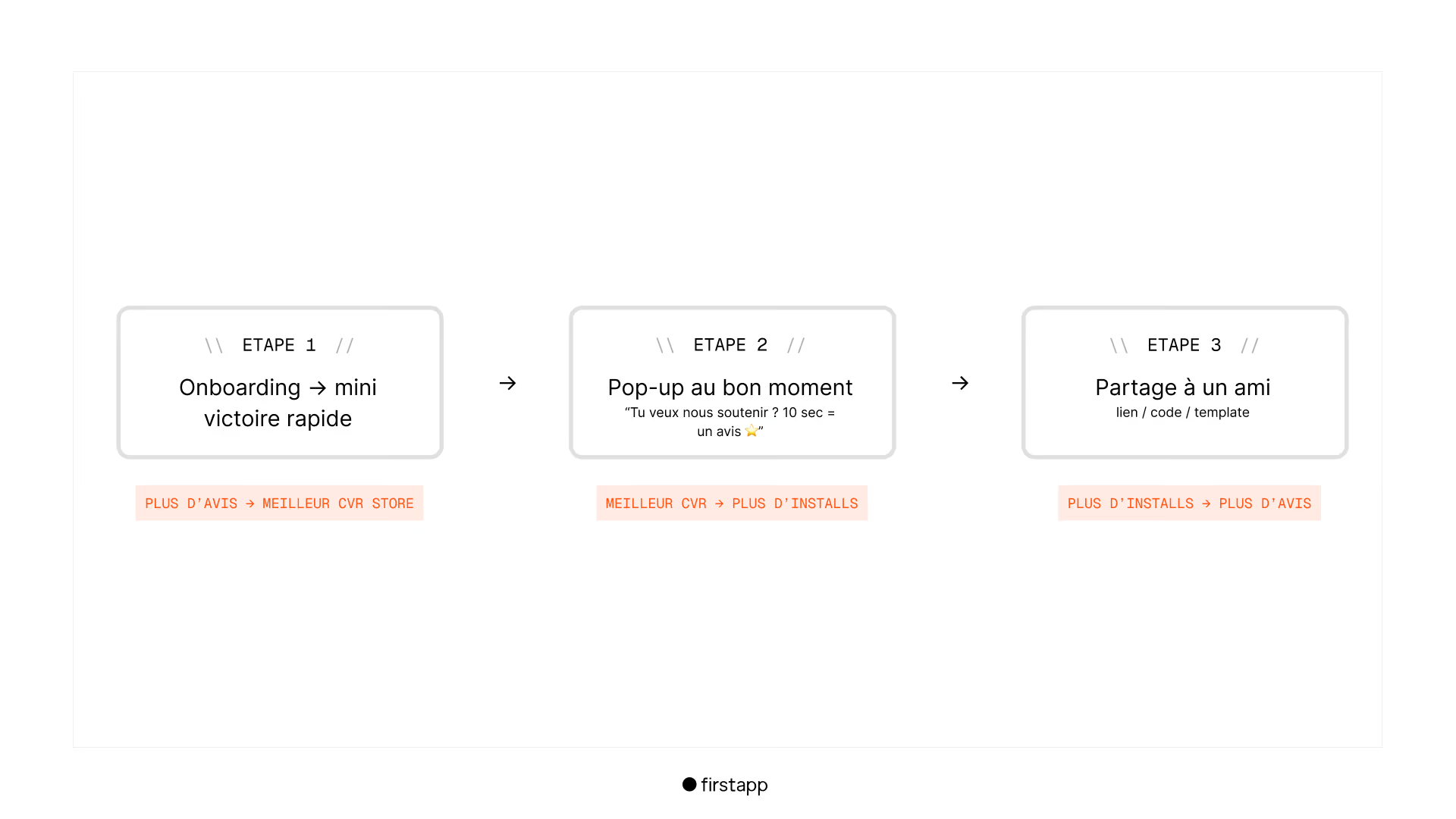
It is simple. But it is a machine. And like any machine, it only runs if you hit the right starter, at the right moment.
The "share" step is often forgotten. Yet after a satisfied user leaves a review, their engagement level is at its peak. That is the best moment to ask them to recommend the app to someone with the same problem, with a direct link, a code, or a ready-to-send template. (Maybe in exchange for a discount?)
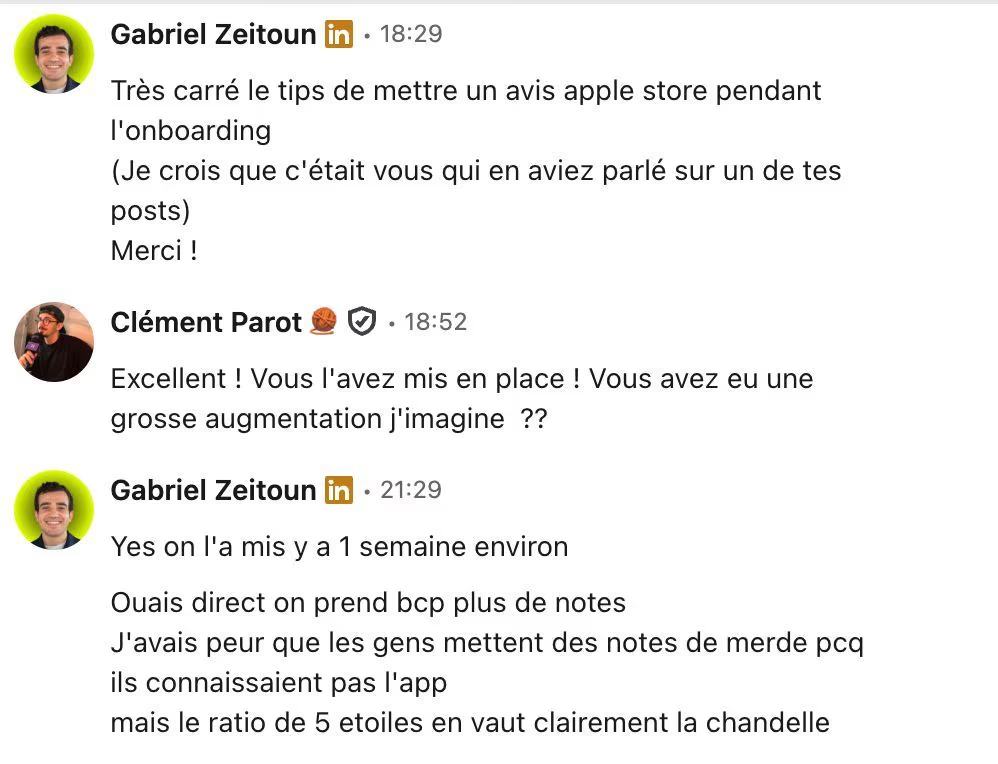
We did not invent this loop in a slide deck. We saw it work with founders who applied it in the field. The proof is right in the photo below.
The Apple rules you absolutely need to know
Before the method, the frame. Apple is strict, and violations can lead to the app being removed.
Maximum of 3 review requests per year
The API SKStoreReviewController can be called only 3 times per 365-day period, per user. It is a technical limit imposed by iOS, and it cannot be bypassed. That forces you to choose your moments carefully.
Zero incentive in exchange for a review
It is forbidden to reward a user for leaving a review: virtual currency, an unlocked feature, a discount. Apple treats that as ranking manipulation. Possible sanction: the app is removed.
Do not interrupt an active workflow
The review popup must not appear in the middle of a critical action, during a payment, a creation, or onboarding. Apple states this in its Human Interface Guidelines. Outside of that, you have room.
Replying to reviews: strongly recommended
Apple notifies a review's author when you reply. They can then update their rating. Replying to negative reviews within 48 hours is one of the highest-return actions on the ASO side, and it is free.
Note: since June 2026, Apple also rejects requests placed during onboarding without real prior use (guideline 5.6.3). If your onboarding includes a real feature tested with a concrete result, the trigger stays valid, but not before that.
Source: Apple Developer - Ratings, Reviews, and Responses
The 5 levers to get your first reviews
Lever 1: Identify the right trigger moments
Every app has its own "satisfaction peaks", precise instants when the user feels the product's value in a concrete way. That is where the review request should fire, nowhere else.
That is exactly what we did for Sticker Editor. The review request appears right after the first successful export, the moment the user holds their sticker for the first time. Concrete result, high emotion, perfect timing.
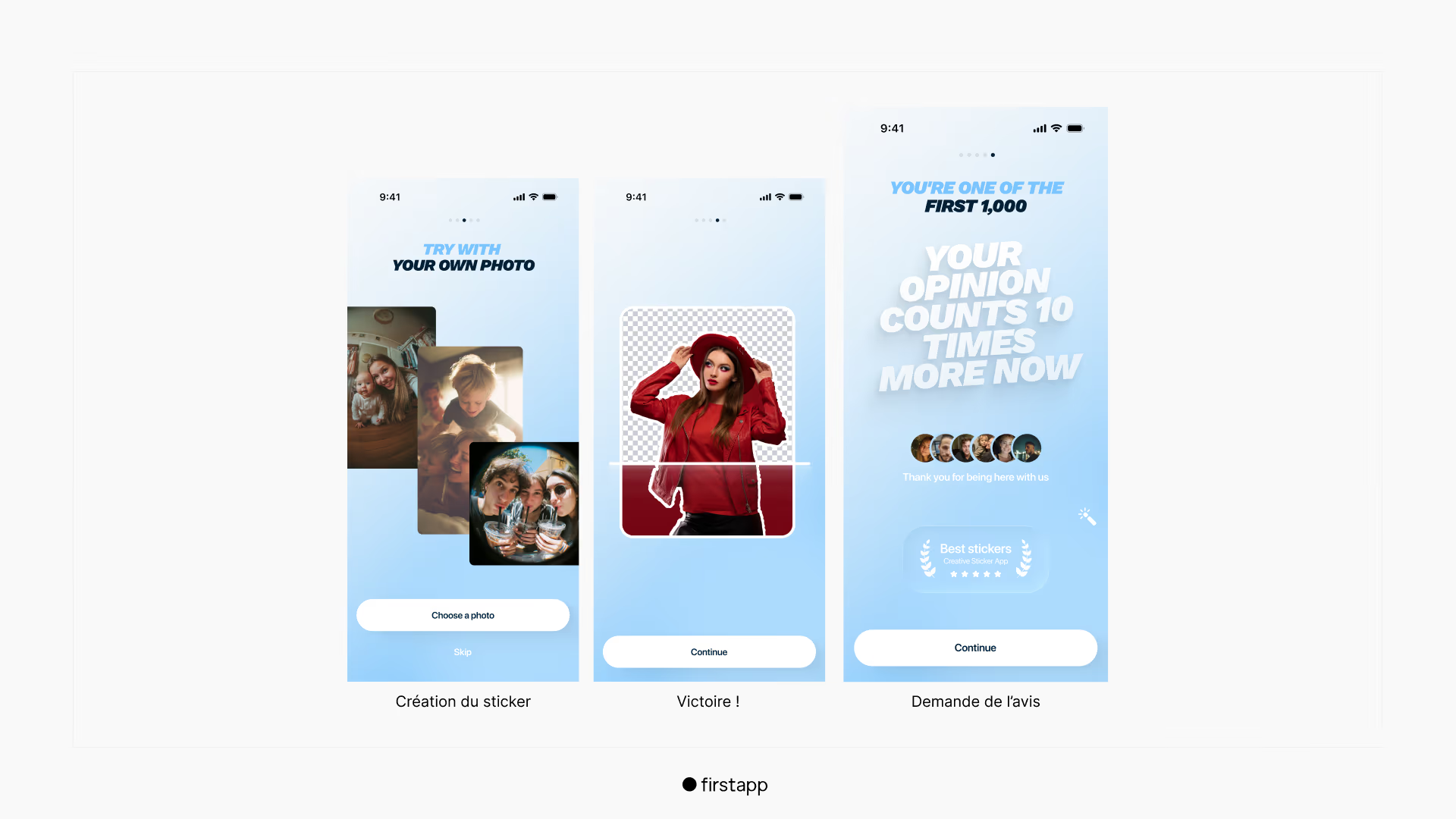
The shared rule: wait until a tangible result has been achieved. Not after sign-up. Not when the app opens. After the win.
Lever 2: Pre-qualification with a micro-survey
Before calling Apple's API, show an internal (non-Apple) screen with a simple question:
If "Not really" → redirect to an internal feedback form. Dissatisfaction is captured without hurting the public rating. If "Yes!" → immediately trigger the Apple popup.
This technique is legal. It does not manipulate the content of the review, only who is invited to leave one. It protects the overall rating while feeding the product with useful feedback.
Lever 3: Activate early adopters outside the App Store
The first reviews will not come on their own. An email or push sequence targeted at the most active users unlocks the initial base, without waiting for the algorithm to do the work alone.
1. Email on day 3 after a first key action: short message, personal tone, direct link to the App Store listing
2. Push notification on day 7 reserved for active users only, not the whole base.
The key: target only people who have shown engagement. An inactive user who is contacted will not leave a positive review.
Lever 4: Reply to every review within 48 hours
Apple notifies a review's author when a reply is addressed to them. They can then update their rating. A fast, personalized, useful reply to a negative review can turn 2 stars into 4 stars.
Simple rule: no generic template, mention the first name if available, and a promise of concrete action on the issues reported.
Lever 5: Sync requests with updates
Apple treats each update as a new trigger credit for users who have not yet left a review on that version. Each release is therefore a chance to ask active users again, provided the update brings real value.
Timing, the real secret
The limit of 3 prompts per year forces you to think strategically. An example of a calendar that works:
1st prompt - day 3 after the first key action
Target only users who have gotten a first concrete result. That is when satisfaction is highest and freshest, and the conversion rate to a review is at its maximum.
2nd prompt - Major post-update, ~day 45
Target users active for at least two weeks. A significant update gives a natural reason to ask again, and the algorithm rewards the velocity that follows releases.
3rd prompt - Seasonal engagement peak
Save this last credit for the moment when engagement is naturally strongest: back to school, holidays, a rush period depending on the app's category. Target the top 20% of users by session time.
What not to do to get reviews
Buying reviews: Apple and Google formally ban this practice. It can lead to the app being permanently removed. Store detection tools keep getting better.
Triggering too early : asking for a review on day 0 or day 1, before the user has had time to understand the value. Result: generic or negative reviews.
Interrupting a workflow : triggering the popup in the middle of a creation or onboarding. Users tap "later" and never come back.
Ignoring negative reviews : a 1-star review with no reply is visible to every prospect. A professional reply turns a negative signal into proof of seriousness.
Asking outside the emotional context : a cold follow-up email on day 30 to an inactive user will produce nothing, or worse, a review written out of frustration.
The results: Sticker Editor, 40 → 100+ reviews in a few days
We applied these 5 levers for Sticker Editor, a sticker-creation app. A single change: the review-request module triggered after the first successful export, the moment when the app's value is most tangible for the user. To read the case study, go here
1. Better ranking on target keywords : review velocity strengthened the "active app" signal for the algorithm.
2. Higher listing → download conversion rate : reviews visible in search results lower the barrier to the first download.
3. Eligibility for editorial featuring : with a rating ≥ 4.5 and a credible volume, the app entered the radar of the App Store editorial teams.
Reviews do not pile up by chance. They are built with a system: the right moments, the right users, and responsiveness that turns feedback into product fuel. If you are building an app and want to build this system from launch, that is exactly what the firstapp agency does with its clients.
Frequently asked questions about App Store reviews
How do you get reviews on the App Store?
To get reviews on the App Store, the most effective method is to ask at the right moment via SKStoreReviewController, Apple's native function that triggers the rating popup directly in the app. Apple allows a maximum of 3 requests per year, so every placement counts. The ideal timing: right after the first aha moment, after a user has completed a key action, or after spontaneous positive feedback. A user who is satisfied at that precise instant will leave a positive review in the vast majority of cases. Outside the app, encourage your first users manually: a personal message to your early adopters generates a much higher response rate than an automatic notification.
How do you get 5-star reviews for an app?
Getting 5-star reviews rests on two things: delivering real value, and asking at the right moment. A user who has just gotten a concrete result in your app - their first sticker created, their first goal reached, their first visible win - is in the best possible state of mind to leave an enthusiastic review. Ask at that precise instant, not before. Beyond timing, reply to every negative review quickly and usefully: Apple notifies the author of your reply, and a user who receives a personalized, honest reply often comes back to change their rating. A 5-star rating is earned by taking care of the user experience, not by manipulating the system.
How do you get a good ranking on the App Store?
App Store ranking depends on several combined factors: recent download volume, average rating and number of reviews, user retention rate (since 2025, the algorithm includes engagement signals), and keyword relevance in your title, subtitle, and keywords field. To move up the rankings, work these levers in parallel: optimize your ASO (title with the main keyword, a 100-character keywords field with no repetition), build a review strategy with good request timing, and improve your retention - an app that users keep and use climbs naturally in the results.
How do you improve your App Store ranking?
To improve your App Store ranking, you need to act on three axes at the same time. ASO first: optimize your title with the main keyword, your subtitle with secondary keywords, and your 100-character keywords field with no repetition of the title. Visuals next: screenshots that convert well improve your download rate, which is a positive signal for the algorithm. Retention last: since 2025, Apple takes engagement signals into account in ranking. An app whose users come back regularly moves up in the results, regardless of ad volume. That is the strongest argument for investing in good onboarding: it improves both conversion and organic ranking.
Is it possible to retrieve App Store reviews?
Yes, you can view and manage your App Store reviews directly in App Store Connect, in the "Ratings and Reviews" section, filterable by country, version, and rating. Third-party tools such as AppFollow or AppTweak go further: real-time alerts, sentiment analysis, rating tracking over time, and centralized reply management. Replying to reviews - positive and negative - is strongly recommended: Apple notifies the author of your reply, which can lead dissatisfied users to change their rating.
How can I buy reviews on the App Store?
Buying reviews on the App Store is strictly forbidden by Apple's terms of use, and Apple detects it. Consequences range from removal of the fraudulent reviews to your app being removed from the store entirely. It is a false good idea at every level: bought reviews do not generate real users, do not improve your retention, and do not positively affect ranking over the long term. The only way to have reviews that really count - for the algorithm, for users, and for your business - is to get them from real satisfied users, at the right moment, with the right method.
Also read
ASO App Store: the complete guide to ranking your app on the App Store in 2026
65% of App Store downloads start with a search. ASO covers keyword ranking and listing conversion, screenshots included.

App Store listing: how to optimize the page so it converts more
A user spends on average under 10 seconds on an App Store listing before deciding. They see the icon, the name, the rating, and the first two screenshots.