Create an app with Claude: the complete 2026 guide
Claude is the model behind a large share of vibe coding. In the terminal, Claude Code generates a React Native app, without deciding the price, the onboarding, or the ASO.

Article summary
- Lovable runs on Claude Opus 4.6, and Bolt also uses Claude to generate code.
- Claude Code acts in the terminal: it reads the project, writes the code, and runs real shell commands.
- The documented path to the stores combines Claude Code, React Native, Expo, and EAS. The Apple Developer account stays at $99/year.
- The Free plan does not include Claude Code. Pro at $20/month covers a few sessions a week.
- The top quartile converts 4 times more than the median. The gap comes from product decisions, not from the quality of the generated code.
Summarize this article with
Two approaches to creating an app with Claude
Non-technical profile: Use Claude as an assistant to shape your idea, write your specifications, and choose the right tool (a0.dev, Lovable, Bolt). Claude guides you, the tool generates.
Semi-technical profile or developer: Use Claude Code, Anthropic's CLI tool, with Expo to generate a React Native application that can be published on the App Store. It is the most powerful and most controlled approach on the market.
Claude is Anthropic's AI. It is also, quietly, the engine behind a large share of vibe coding in 2026: Lovable runs on Claude Opus 4.6, Bolt uses Claude to generate its code, and dozens of other tools rely on Anthropic's APIs to generate applications from prompts.
In other words: when you create an application with Lovable or Bolt, you are already creating an application with Claude, without knowing it.
At firstapp, we use Claude every day. Not only as an assistant, as a development tool in its own right via Claude Code, combined with our React Native and Expo stack. This guide explains exactly what Claude makes possible, in which setups, and for which profiles.
Newsletter
Once a week.
Last issue
We opened 10 apps to see how they sell a subscription.
+534 people read us each week
Claude: the brain behind most vibe-coding tools
One model, several interfaces
Claude is not an app-creation tool in the strict sense. It is a language model, available on claude.ai, through Anthropic's API, and in a growing number of third-party tools that integrate it as a code-generation engine.
Lovable uses it to generate its React interfaces. Bolt uses it to scaffold its full-stack applications. Cursor, Windsurf, and dozens of IDEs integrate Claude through the API to power their completion and code-generation features.
What that means for you: if you have used one of these tools, you already have an idea of what Claude can do. The question is how to use it directly, without a third-party interface in the middle, with more control and more power.
Why Claude stands out on code
On 2026 code-generation benchmarks, Claude Sonnet 4.6 and Claude Opus 4.6 rank among the strongest models on the market, alongside GPT-4o and Gemini 2.5 Pro. Their advantage on multi-file code and complex engineering tasks is documented and regularly cited by development teams.
That is why tools such as Lovable chose Claude as their engine rather than its competitors. And that is why Claude Code, Anthropic's CLI tool, became in less than a year one of the AI development tools most used by professional developers.
Claude Code: creating applications from the terminal
What Claude Code actually does
Claude Code is a command-line tool (CLI) that installs in your terminal and gives you access to Claude directly in your development environment. You describe a task - "create an expense-tracking app in React Native with Expo, email authentication, and a Supabase database" - and Claude Code reads your project, plans the changes, writes the code, runs commands, and delivers a working result.
What sets it apart from other tools: it reads your entire codebase before acting, it runs real shell commands (npm install, git, tests, builds), it works on several files at once, and it integrates with your existing editor without replacing it.
The result: tasks that would take a developer hours alone get done in a few minutes. Not by generating an interface from zero, by working on a real project the way a senior developer would.
What Claude Code is not
Claude Code is not a visual interface. There is no drag-and-drop, no live preview, no "publish" button. It is a terminal tool, which means it is for profiles who are comfortable with a command line.
For a non-technical founder who wants an application quickly, other tools in the same family are a better fit. For a developer or a semi-technical founder who wants the highest possible level of control, Claude Code has no equivalent today.
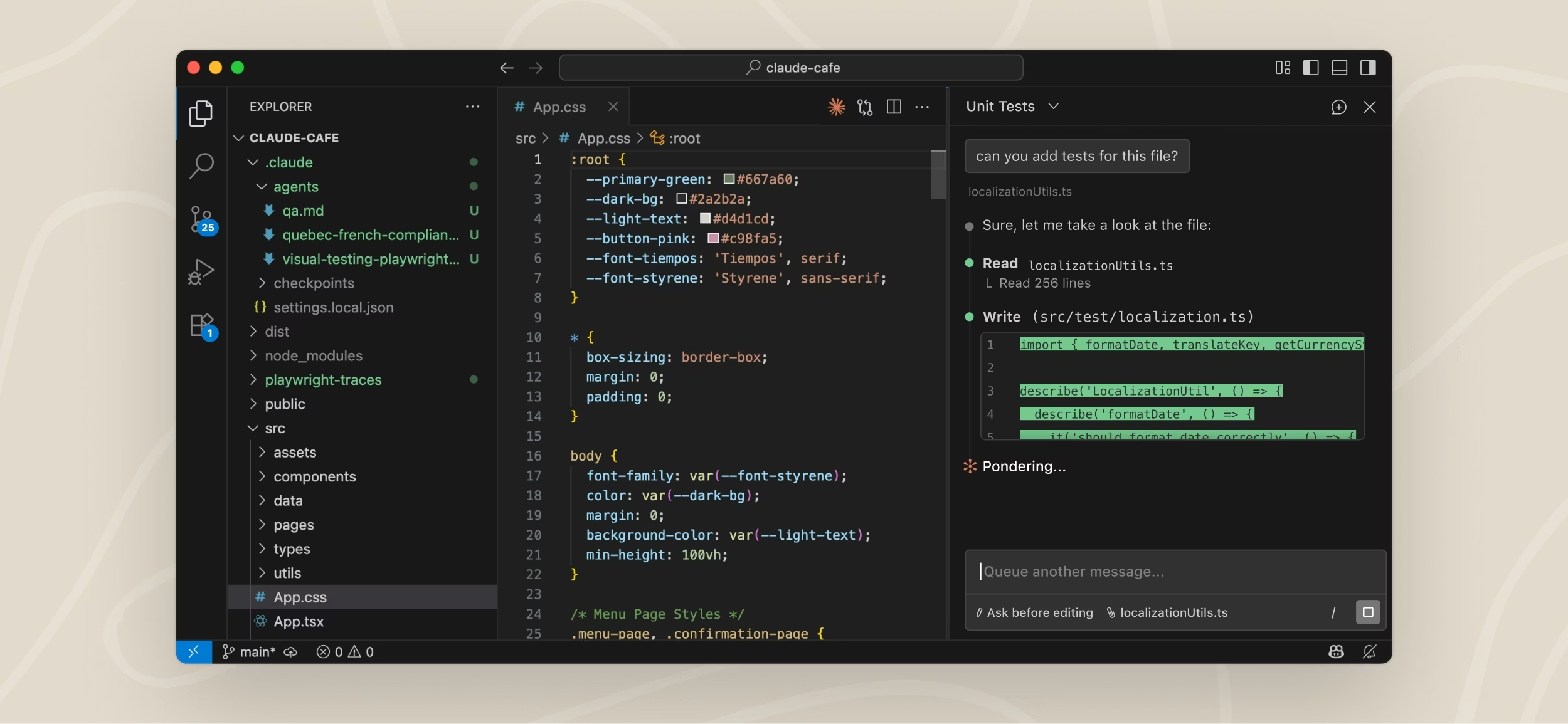
How to create a mobile app with Claude Code and Expo
The stack that works
The most effective workflow documented in 2026 for creating a mobile application that can be published on the stores with Claude Code is this: Claude Code + React Native + Expo + EAS.
Claude Code generates and edits the React Native code. Expo provides the mobile SDK and the publishing pipeline. EAS (Expo Application Services) compiles the iOS and Android binaries in the cloud and submits them to the stores.
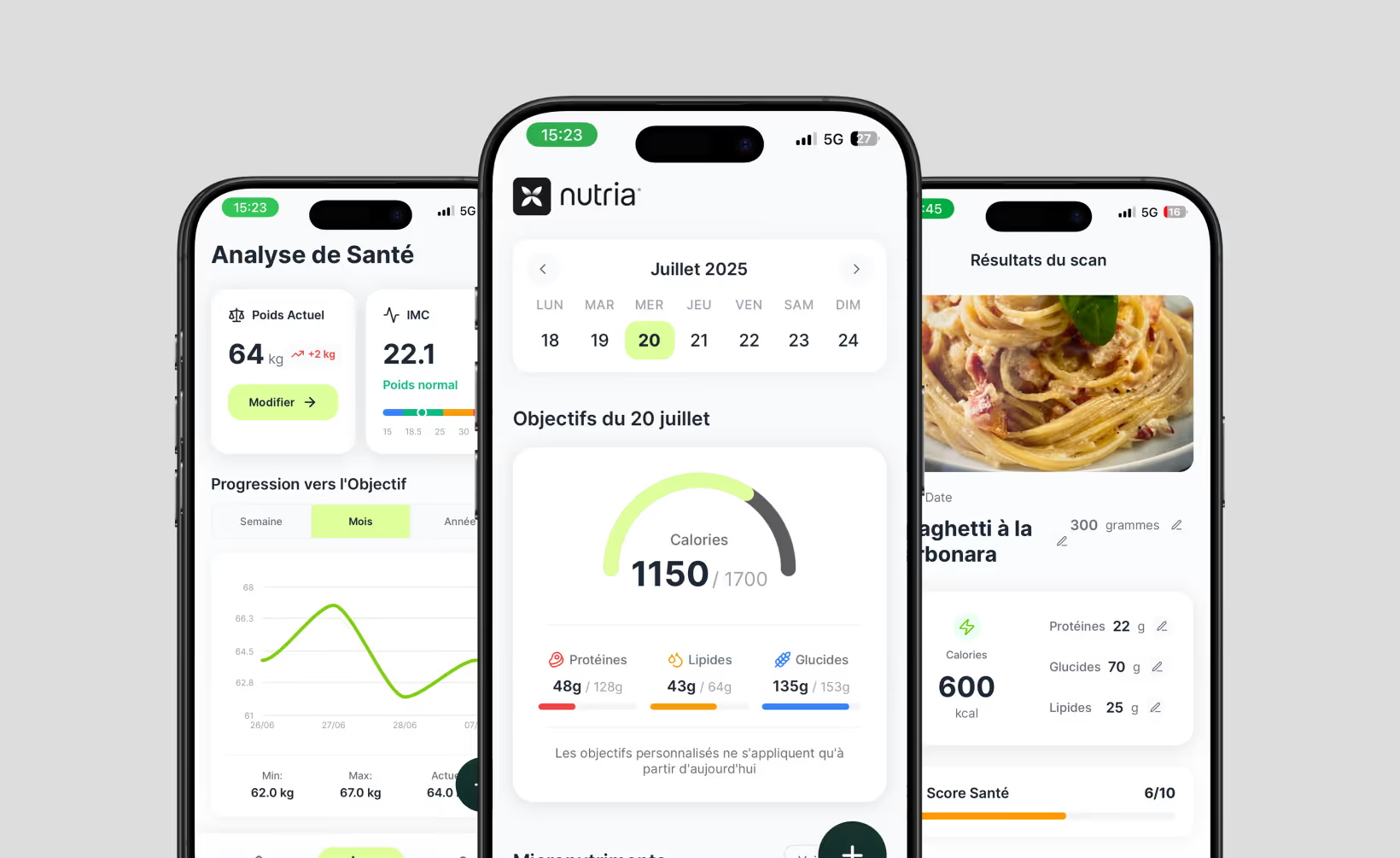
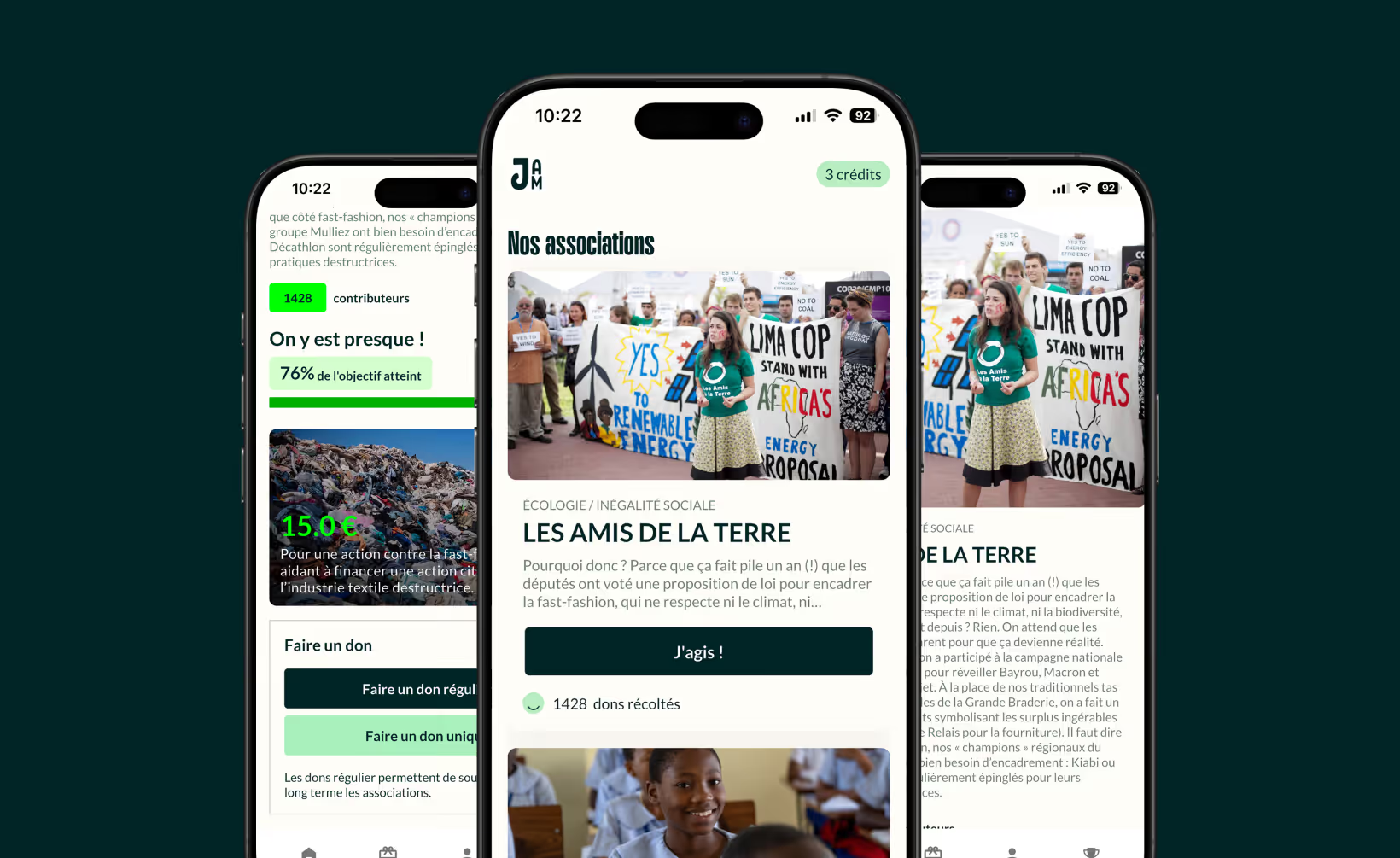
It is the same stack we use at firstapp across all of our projects, Jam Solidaire, Calyra (formerly Nutria), Sticker Editor, Mukiz. The difference: we use it as an accelerator on code we master and we steer, not as an autonomous generator we let decide the architecture.
The process, step by step
Step 1 - Initialize the project
npm install -g @anthropic-ai/claude-codenpx create-expo-app@latest mon-appcd mon-appStep 2 - Describe the application to Claude Code
Describe your application with as much precision as possible: features, target, navigation structure, integrations. Claude Code reads your empty folder, plans the architecture, and starts generating.
Step 3 - Iterate feature by feature
Claude Code works better when you give it one task at a time. "Add email authentication with Supabase", then "create the profile screen", then "integrate push notifications via Expo Notifications". Sequential tasks, tested at each step.
Step 4 - Test on your phone
Expo Go lets you test in real time on your phone without compiling. Scan the QR code from your terminal, and your application opens on your phone.
Step 5 - Compile and publish with EAS
npm install -g eas-clieas build --platform alleas submit --platform allEAS compiles your iOS and Android binaries in the cloud and submits them to App Store Connect and the Google Play Console. Your Apple Developer account ($99/year) and Google Play Developer account ($25, one-time payment) are still required.
The prompt that makes the difference
Unlike visual interfaces, Claude Code gets the most out of detailed, structured prompts. A rule we apply at firstapp: always ask Claude Code to ask questions before writing a line of code. "Before you start, list the questions you have about the architecture and the features." The result is consistently more solid.
Claude Code plans and pricing: which one to choose
How the plans are structured
Claude Code is not a standalone tool with its own subscription. It fits into existing Claude plans and consumes the same token budget as your web use.
| Plan | Price | Claude Code | Suited to |
|---|---|---|---|
| Free | $0 | Not included | Web chat only |
| Pro | $20/month | Included | 1 to 2 sessions a day |
| Max 5x | $100/month | Included | Intensive daily use |
| Max 20x | $200/month | Included | Full-time use, multi-agent |
| API pay-as-you-go | Per token | Included | Automation, variable projects |
The reality of the pricing
Claude Code runs on a 5-hour window system: your token budget renews every 5 hours. At peak hours (5 a.m.–11 a.m. Pacific time on weekdays), consumption is faster, an effect documented by the community but not officially published by Anthropic.
For a founder who uses Claude Code a few hours a week on a project: the Pro plan at $20/month is enough. For a developer who uses it as their main work tool: Max 5x at $100/month is a better fit. Developers in intensive use have documented savings of 93% compared with API billing by moving to Max 20x.
A practical piece of advice before anything else: turn on a spend cap on your Anthropic account before any intensive use. If you have an ANTHROPIC_API_KEY configured in your environment, Claude Code will use that key rather than your subscription, with usage-based billing that can surprise you.
What Claude Code does better than every other tool
Understanding the whole project
This is the advantage that changes everything. When you ask Claude Code to change a feature, it does not look at a single file. It reads the whole project, understands the dependencies, anticipates side effects, and adapts its changes accordingly. No visual vibe-coding tool does that.
Code you actually own
Claude Code generates code in your project folder, on your machine. There is no intermediate platform, no lock-in, no export. The code is yours from the first line. You can version it, edit it, deploy it wherever you want, and hand it to any developer.
Complex tasks on its own
Claude Code can handle a full architecture rebuild, write a test suite, configure a CI/CD pipeline, or integrate a complex API, on its own, with a report of what it did and why. That is a level of autonomy visual tools do not reach.
The limits of Claude Code for non-technical founders
A terminal tool, not an interface
If you have never used a terminal, Claude Code will ask for a non-trivial adaptation period. There is no graphical interface, no buttons, no visual preview. Errors arrive as text in the terminal and sometimes need to be interpreted.
For non-technical founders who want to create an application quickly: tools such as a0.dev (which generates native React Native with a visual interface) or Lovable (for a fast web app) are much more accessible entry points. If you want to compare the options in front of you, our ranking of the best mobile agencies in France can also help you see more clearly.
Token limits on large projects
On large projects with many files, Claude Code can hit context limits and lose part of the project's information. It is a known problem - complementary tools exist to compress and manage context (such as CLAUDE.md files for persistent instructions), but that requires setup.
Circular bugs
Like every code-generation tool, Claude Code can sometimes lock itself in a loop on a difficult bug, proposing fixes that create new problems. The rule we apply: if three successive attempts do not solve a problem, we leave agent mode and take back control manually.
What we see in practice
This is often the point where founders come to us.
Not because they gave up on Claude. Because they understood generated code is 20% of the work. Onboarding that converts, a paywall with a structure, an Apple review that passes the first time: Claude decides none of that.
Using Claude as an assistant in your code editor
Without Claude Code, just Claude
If you are not ready for the terminal but you have a development base, you can use Claude directly on claude.ai as a code assistant. Describe your problem, paste your code, ask for a fix or a feature. It is less integrated than Claude Code, but much more accessible.
This approach works particularly well for: fixing specific errors, generating isolated components, writing tests, documenting existing code.
Claude in Cursor or Windsurf
Claude is also available as a model in AI code editors such as Cursor and Windsurf. These interfaces offer a middle experience: you have a visual IDE, but Claude powers the suggestions and the edits. For semi-technical profiles, it is often the best entry point before moving to Claude Code in the terminal.
Onboarding, paywall, ASO: what Claude does not decide for you
The limit of every AI, even the best one
Claude is remarkable at generating code, debugging, explaining, documenting. It is useless at deciding whether your idea is good, what price you should charge, how to structure your onboarding to maximize conversion, or which ASO strategy to adopt for your category.
These decisions are the core of the craft of a mobile application that succeeds. They are made by analyzing real user data, knowing market benchmarks, and having supported enough launches to know what works.
The numbers that frame the stakes
According to RevenueCat State of Subscription Apps 2026, applications in the top 25% of their category convert 4 times more than the median. According to AppTweak, ASO accounts for between 30% and 60% of organic downloads for most applications. These differences do not come from code quality. They come from product and marketing decisions.
Claude can generate a paywall screen in a few seconds. Our guide on mobile paywall optimization explains how to decide what that screen should contain. Our guide on mobile onboarding gives you the principles that apply whatever the technical stack.
Claude as the accelerator, firstapp as the strategist
Claude is today the most powerful tool available for generating a mobile codebase.
That is factual, and it is why we use it ourselves at firstapp on all of our client projects. What nobody says clearly: the generated app is the starting point, not the finish line.
Applications in the top 25% of their category convert 4 times more than the median (RevenueCat SOSA 2026). That gap does not come from code quality. It comes from product decisions made before and after development. What price? What trial? Which onboarding screen at step 2? How do you structure the paywall so you do not lose the user at the wrong moment?
These decisions are made once. Made badly, they are paid for over months. That is exactly where we step in. Not to recode what Claude generated, to steer what decides whether your app lives or dies after launch. Talk about your project now
Direct costs: subscription and API
The most common entry point: Claude Pro at €20/month. It is the claude.ai subscription that gives access to the most powerful models with a monthly usage limit. For a founder who codes a few hours a week, that is enough.
For intensive use - several development sessions a day, large projects, a team of several people - the Claude Pro limit becomes constraining quickly. The alternative is access through the Anthropic API, billed by usage according to the volume of tokens processed. On a project of three to four months of intensive development, the API bill can reach several hundred euros.
On top of these costs are the complementary tools Claude does not replace: Cursor or Windsurf for the code editor with built-in AI (about €20/month), Expo for React Native deployment (free on the base tier, paid beyond that), Supabase or Firebase for the backend (free up to a certain volume, then usage-based billing).
The Claude mobile app subscription cost in real conditions: between €50 and €150/month for a project in active development, once the complementary tools are included.
Hidden cost no. 1: your time
This is the line nobody calculates, and by far the most important.
Building a mobile app with Claude does not take a few hours. On a realistic project with authentication, user profiles, push notifications, payment-system integration, and store submission, count between 100 and 300 hours of effective work for a founder with a technical base.
For a non-technical founder, that figure easily doubles. Claude generates code, but it does not spare you from understanding what you paste into your project. A dependency error, a version conflict, or unexpected native behavior on iOS can block an entire day.
Value your time at your usual day rate. If your day is worth €500, 200 hours of development represent €12,500 of opportunity cost, not counting what you did not do during that time: selling, acquiring users, iterating on the product.
The real cost of building an app with Claude for most founders sits between €5,000 and €15,000 in time, even with the €20/month subscription.
Hidden cost no. 2: technical debt
Claude optimizes for the immediate answer, not for maintainability over 18 months. The generated code works, often very well, but it is rarely consistent across a project built in discontinuous sessions.
What we observe on the projects we audit: naming conventions that change between files, duplicated components with slightly different variants, inconsistent state management from screen to screen, and dependencies added as needs appear, with no architecture review.
This technical debt has a real cost: every future change takes longer than expected, every new developer who joins the project takes longer to find their way, and every major update risks breaking something else.
The Claude mobile app technical debt is not inevitable. It is managed with discipline and a regular review. But it exists, and it is paid sooner or later.
When Claude alone is worth it
Claude alone is worth it when:
You are validating an idea before you invest. A working prototype to test user intent is exactly the use case Claude is made for. Fast, cheap, enough to learn.
You have a solid technical profile and time available. If you are a developer and you want to move fast on a side project, Claude is an excellent copilot.
Your app is simple and your market is forgiving. An internal tool, a B2B MVP for a specific client, an app without complex monetization: the level of requirement is different.
Claude alone is not worth it when:
You are aiming for a public launch with conversion and retention goals. The difference between an app that converts and an app that disappoints is in details Claude cannot anticipate alone.
Your time has a high value. If every week spent debugging code is a week without clients, without sales, without growth, delegation quickly becomes profitable.
You are non-technical and starting from zero. Claude can support you, but the risk of getting stuck on recurring technical problems is high, and the time cost runs away quickly.
→ To understand what a mobile app really costs across the different development options, see our article how much a mobile app costs.
Frequently asked questions about Claude
Can you create a mobile app with Claude for free?
Claude's Free plan gives access to web and mobile chat, but not to Claude Code in the terminal, the most powerful tool for creating applications. To use Claude Code, you need at least the Pro plan at $20/month. Non-technical founders can use Claude for free as an assistant to shape their idea, write specifications, or choose the right tool, but to generate an application, Claude Code or a third-party tool is still necessary. Do you want a quote?
What is the difference between Claude and Claude Code?
Claude is Anthropic's AI model, available on claude.ai through a chat interface. Claude Code is a CLI tool (command line) that installs in your terminal and gives Claude the ability to act directly on your codebase: read files, write code, run commands. Claude Code is much more powerful for creating applications, but much more technical to access.
Can Claude Code create an application that can be published on the App Store?
Yes, combined with Expo and EAS. The workflow documented and validated by thousands of developers in 2026 is: Claude Code generates and edits the React Native code, Expo provides the mobile SDK, EAS compiles the binaries and submits them to the stores. The Apple Developer account ($99/year) and Google Play Developer account ($25) are still required. It is the stack we use at firstapp on all of our projects.
Which Claude plan should you choose to create an app with Claude Code?
For occasional use (a few sessions a week): the Pro plan at $20/month is enough. For intensive daily use: Max 5x at $100/month is recommended. For full-time or multi-agent use: Max 20x at $200/month. The pay-as-you-go API is profitable only if your use is very sporadic, below about 50 sessions a month.
Is Claude the model behind Lovable and Bolt?
Yes for Lovable, which has run on Claude Opus 4.6 since early 2026. Bolt also uses Claude for part of its code-generation capabilities. It is one of the reasons these tools produce professional-quality results: the underlying model is one of the best available for code generation. By using Claude Code directly, you access the same model with more control and without the intermediate interface.
Do you need to be a developer to use Claude Code?
Not necessarily, but you need to be comfortable with a terminal. Claude Code requires knowing how to run commands, navigate a project folder, and interpret text error messages. For profiles with no technical experience, other tools offer a gentler entry curve. For semi-technical profiles or developers, Claude Code is today the most powerful AI development tool on the market.
How much does a mobile app created with Claude cost?
Claude's direct cost is €20/month for the Pro subscription, or usage-based billing through the API for intensive projects. But the real cost of a mobile app with Claude includes the complementary tools (AI editor, backend, deployment) and above all your time, between 100 and 300 hours depending on the project's complexity. Valuing your time, the total cost often sits between €5,000 and €15,000 even with a €20/month subscription.
What is the difference between Claude Pro and the Claude API for building an app?
Claude Pro at €20/month gives access to the claude.ai interface with a monthly usage limit. That is enough for regular but non-intensive use. The Claude API is paid by usage according to the tokens consumed, more flexible for intensive or team use, but the bill can rise quickly on a project of several months. Most founders who build alone start with Claude Pro.
Also read

Create an app with Cursor: the complete 2026 guide
Cursor is a fork of VSCode that reads the whole codebase and speeds up React Native code. It handles neither certificates, nor Apple review, nor paywall decisions.

Vibe coding vs agency: cost and result over 6 months
Over 6 months, a subscription app in vibe coding alone is estimated at €12,000 to €35,000, an agency at €12,000 to €27,000. Only 4.6% of apps reach €10,000 of MRR in two years.