Why your users refuse your iOS permissions
On iOS, a refused permission cannot be asked again, and fewer than 5% of users will go into Settings. Notifications go from under 20% opt-in when asked cold to 40 to 60% when the ask is prepared.

Article summary
- A refused iOS permission cannot be asked again: fewer than 5% of users will go into Settings.
- Notifications get 40 to 60% opt-in when the ask is prepared, and under 20% when asked cold.
- If the user refuses the custom pre-prompt, the system prompt is not shown and you can try again later.
- ATT sits around 25 to 30% opt-in with no preparation, and can rise to 50 to 60%.
- Several prompts in a row push refusal up: one permission at a time, tied to a use.
Summarize this article with
A user who refuses your notification ask is a re-engagement channel closed for good, or almost. A user who refuses location access on an app that depends on it is a degraded experience they will not understand. A user who refuses ATT is your paid acquisition going blind.
The iOS permission prompts are one of the most critical moments in the user journey. Yet almost every app treats them as a technical formality. They ask at the wrong moment, with the wrong message, and absorb refusal rates that weigh on their economics for months.
firstapp optimizes these sequences on every app it ships. This guide sums up what works.
Why iOS permissions are a conversion topic
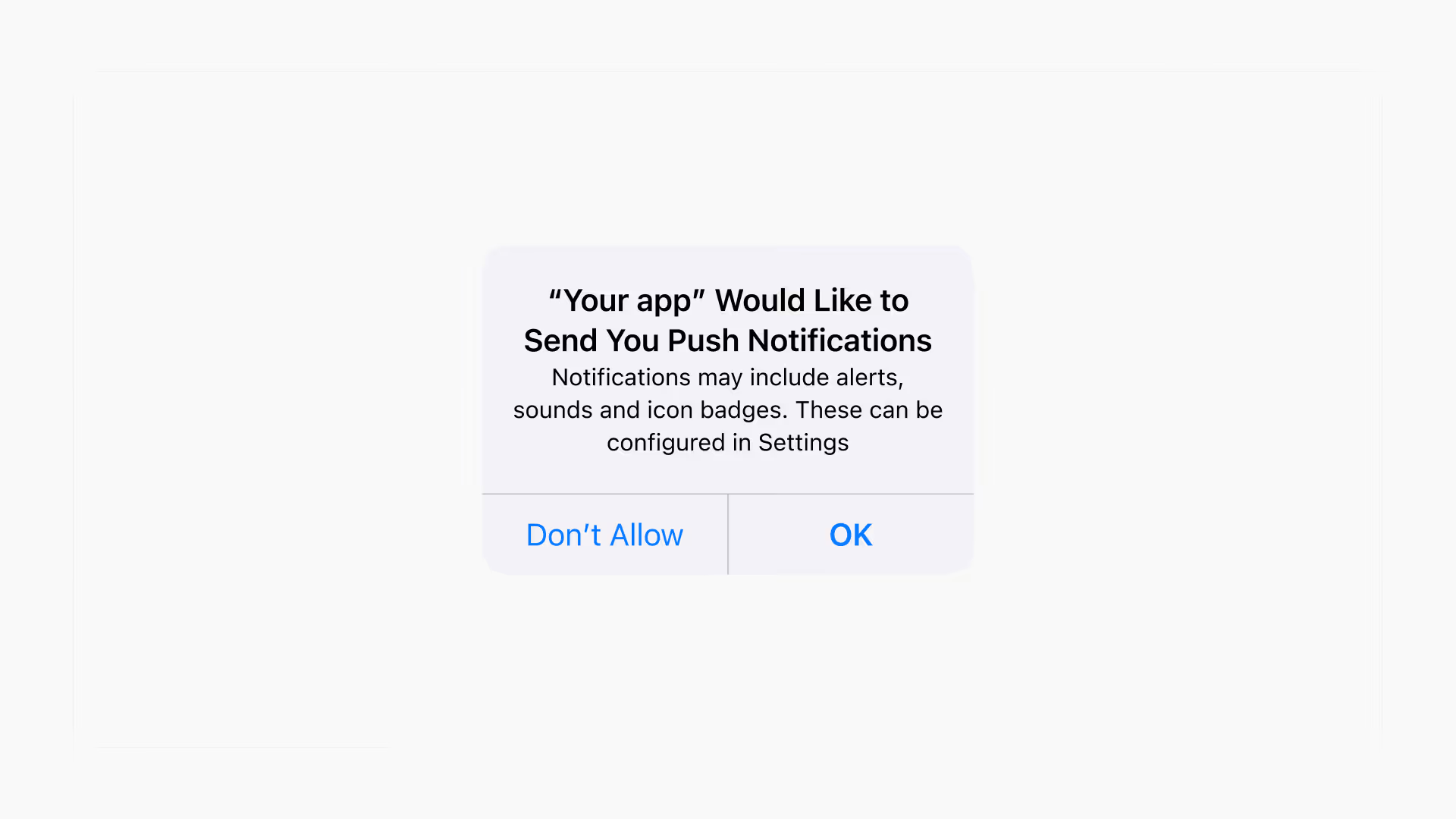
iOS is strict on a point many founders discover too late: a refused permission cannot be asked again. Unlike Android, the iOS system allows only one attempt. If the user taps "Don't Allow", the system prompt will never show again. The only way out is to send the user into their phone's Settings, a friction fewer than 5% of them will accept.
This mechanism turns every permission ask into a one-way decision. You do not get a second try. And the most common mistake is also the simplest to avoid: asking too early, with no context, with no explanation.
Acceptance rates vary enormously by category and by moment. Push notifications average 40 to 60% opt-in when they are asked well, and under 20% when they are asked cold on first launch. Precise location tops out around 50% on apps where the use is not obvious. ATT (the ad tracking prompt introduced by iOS 14) often falls under 30% with no preparation.
These are conversion points in their own right. They deserve as much care as your mobile app onboarding or your paywall. And their impact shows up directly in your retention metrics : apps with a high notification opt-in have a structurally higher 30-day return rate.
Newsletter
Once a week.
Last issue
We opened 10 apps to see how they sell a subscription.
+534 people read us each week
The 7 iOS permissions your app will ask for
Not all permissions are equal in how sensitive the user perceives them to be. Understanding the hierarchy helps you calibrate the preparation effort for each one.
Push notifications
The most requested permission, and the most profitable. A notification opt-in is a direct, free, and powerful re-engagement channel. The median acceptance rate sits around 50%, but apps that prepare their ask well go past 70%.
Location
Two levels: "while using" and "always". Precise location is perceived as intrusive. Approximate location (available since iOS 14) is an alternative that is often enough and much better accepted. Ask for precise location only if your use case truly requires it.
Camera and microphone
High-sensitivity permissions. The user intuitively understands the privacy stake. Acceptance is high when the ask happens at the exact moment the user is about to use the camera, and it drops sharply if it is asked before the need is obvious.
Photos (library)
Since iOS 14, the user can choose to allow access to all their photos, to a selection, or to refuse. Selective access is chosen more and more often. Design your app to work correctly with partial access.
Contacts
A permission people resist. Very few apps actually need it. If yours does, the context of the ask has to be crystal clear.
Tracking (ATT - App Tracking Transparency)
The most delicate prompt since iOS 14. It covers the right to track the user across apps for targeted advertising. We come back to it in detail.
Face ID / Touch ID
A well accepted permission because it is perceived as a service (faster sign-in, stronger security). Ask for it at the moment of the first sign-in, never before.
Never ask for a permission cold
This is the mistake 80% of apps make. The user launches the app for the first time. They have not yet understood the product's value. And immediately, a system prompt appears: "X would like to send you notifications."
In that context, refusal is the default choice. The user does not yet know why they should receive your notifications. They have not yet had a positive experience with the app. They are in defensive mode in front of something unknown. "Don't Allow" is a protection reflex, not a deliberate rejection of your product.
The rule is simple: a permission is never asked before the user has had proof of the value it will bring them.
Asking cold is one of the app creation mistakes that are most common and most expensive, precisely because it is irreversible on iOS.
For notifications, that means waiting until a relevant event has happened in the app: a completed purchase, a saved action, a result obtained. For location, it means waiting until the user tries to use a feature that depends on it. For the camera, it means waiting until they tap the button that opens the camera.
The pre-permission prompt: your best weapon
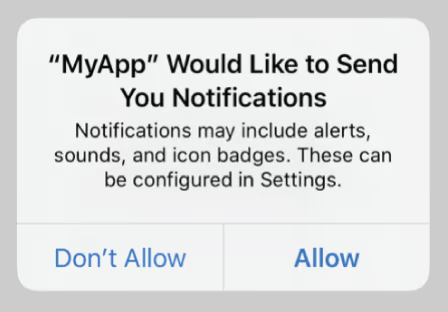
The pre-permission prompt is a custom screen, designed by you, not by Apple, that appears just before the official system prompt. Its role is to explain why you are asking for the permission and what the user concretely gets from it.
It is the most effective technique for improving opt-in rates, and it rests on a simple mechanic: you fully control this screen. You can put the message you want on it, with the visual you want, at the moment you choose. If the user refuses on your custom pre-prompt, the system prompt is not shown, and you can try again later in a more favorable context. If the user accepts on your pre-prompt, the system prompt shows immediately after and will be accepted in the great majority of cases.
The structure of a good pre-prompt:
A strong visual at the top, a bell icon for notifications, a location pin for geolocation. No generic screenshot.
A title that talks about the benefit, not the permission. Not "Enable notifications" but "Don't miss any update on your order" or "Get alerted when your favorite product is back."
A subtitle that answers the implicit objection. "You can turn these alerts off at any time in your settings."
Two clear buttons: a primary CTA (Enable), a discreet secondary link (Later, not No).
What not to do:
- Use the word "allow" or "permission" in the title. It switches on defensive mode
- Offer "Refuse" as the second option. Offering "Later" leaves the door open
- Show several pre-prompts in a row at the same moment. One at a time
The timing of each permission
Timing matters as much as the message. Here is the optimal sequence for the most common permissions.
Push notifications, after the first moment of value
Never at launch. Ideally after the user has completed the onboarding and lived a first concrete result in the app. In an e-commerce app: after the first completed purchase. In a fitness app: after the first logged session. In a content app: after the first article read or the first video watched.
The pre-prompt message should be tied to that event. "You just completed your first session. Turn on reminders so you don't lose your momentum." That is exactly what the best-converting apps in the fitness category, like Duolingo or Calm, do. We take their approach apart in our analysis of the best mobile onboardings.
Location, at the moment of use
Only when the user tries to use a feature that needs location. If your app has a "restaurants near me" feature, the prompt appears when the user taps it, not before. The intent is obvious at that moment. Acceptance follows naturally.
Camera, on the tap of the camera button
The context is immediate and unambiguous. A pre-prompt is optional here, but if you use one, keep it very short. The user has already signaled their intent by tapping the button.
ATT, after strong engagement, never at launch
We detail that in the next section.
Notifications in a content or SaaS app
An effective technique: let the user choose the types of notifications they want to receive before showing the system prompt. They check their preferences on a custom screen. When the Apple prompt appears next, they have already accepted mentally. They are just confirming a decision they just made.
The most delicate permission: ATT
App Tracking Transparency (ATT), introduced with iOS 14, is the permission that has impacted the mobile ecosystem the most in 5 years. It asks the user whether they allow the app to track them across different apps and websites for advertising purposes.
The average opt-in rate is around 25 to 30% with no preparation. With a well thought-out strategy, it can rise to 50–60%.
The stake is twofold. For your paid acquisition, a high ATT opt-in improves the quality of the signals sent to Meta, TikTok, or Apple, which lowers acquisition cost and improves targeting. For your attribution, it determines the share of your conversions you will be able to measure.
The rules for ATT:
Wait until the user is engaged, ideally after the full onboarding, not before. A user who has invested time in the app is more inclined to trust you.
The ATT pre-prompt is essential. Apple's default message is anxiety-inducing ("This app would like to track you across apps and websites owned by other companies"). Your pre-prompt should reframe the stake: "Help us offer you relevant content and offers" or "This permission helps us improve your experience and keep the app free."
Avoid wording that promises total privacy in exchange for refusal. It misinforms the user and can go against Apple's guidelines.
After an iOS permission refusal
A refusal on the system prompt is not necessarily final in the user's mind, even if it is technically. Two strategies for handling this situation.
The deferred ask (for non-critical permissions)
If you used a custom pre-prompt and the user tapped "Later", you can try again in a different context, a few sessions later. Choose a moment when the value of the permission is even more obvious. Limit attempts to 2 or 3. Beyond that, it becomes negative friction.
The deep link to Settings (for critical permissions)
If the permission is essential to the app working (location for a navigation app, the microphone for a transcription app), and the user refused it via the system prompt, the only option is to invite them to turn it on manually in Settings.
The approach that works best: a dedicated, clear screen that explains precisely why this permission is necessary, with a button that opens the app's settings page directly via a deep link. Do not count on more than a 5 to 10% conversion rate at this step, but on critical permissions, every point counts. If you are looking for other ways to catch a user before they drop off, iOS Home Screen Quick Actions are a complementary lever that is often underused.
If your conversion rates on these steps look weak, it is often the sign of a broader problem in the experience. Our analysis of the levers of mobile app optimization covers the 6 most expensive points of friction beyond permissions.
How firstapp treats permissions as revenue levers
Most agencies ship permissions as a technical checklist. Push notification integrated: checked. Location: checked. ATT: checked. That is not our approach.
At firstapp, we treat each permission as a conversion micro-funnel with its own rate, its own variables, and its own impact on final revenue. Here is what that changes in practice.
We map the permissions before we code. On every project, we identify upstream which permissions the app will ask for, in what order, at what moment in the journey, and what each refusal costs in experience and revenue. A notification refusal on a fitness app is a quantified estimate of lost sessions and unrenewed subscriptions. Naming that cost changes the priorities.
We design pre-prompts like short sales pages. Visual, benefit-oriented title, objection defused, primary CTA with no aggressive alternative. We A/B test the message when volume allows. On projects where we iterated on notification pre-prompts, we observed gains of 15 to 25 points of opt-in rate versus the initial version.
We calibrate the timing inside the onboarding. Permissions are not placed at random in the journey. They are positioned at the moments when the user's perceived value is at its highest. This sequencing work is an integral part of designing the onboarding, not a last-minute technical add-on.
We measure and we iterate. Notification opt-in rate, ATT opt-in rate, conversion rate after the Settings deep link: these are metrics we track on the same level as paywall conversion or monthly churn. Because they have the same level of impact on the app's economics, and they are just as actionable.
One point of notification opt-in gained on 10,000 users is 100 extra users you can re-engage for free on every push campaign. Over 12 months, that is a measurable difference on MRR.
FAQ
Can you ask for several permissions at the same moment?
No. Showing several prompts in a row at the same moment is one of the most common mistakes. The user ends up handling trust decisions in a burst, with no context for each one. The refusal rate rises mechanically. The rule is one context, one permission. Space the asks out over time, and tie each one to a relevant moment of use.
Should you always use a pre-permission prompt?
For notifications and ATT: yes, systematically. The gain on opt-in rate is documented and the development investment is minimal. For the camera and microphone asked at the right moment (a tap on a camera button): the pre-prompt is optional and can be skipped if the context is clear enough. For location: recommended as soon as the use is not immediately obvious.
What is the best push notification opt-in rate you can hope for?
Apps that follow the good practices, a well written pre-prompt, timing after the first moment of value, regularly reach 60 to 75% opt-in. Fitness and health apps are structurally better placed: the user intuitively understands the usefulness of reminders. Content and e-commerce apps can reach similar levels with the right message at the right moment.
Does Android have the same constraints on permissions?
Android has historically been more permissive, but recent versions (Android 13+) introduced an explicit system permission for push notifications, similar to iOS. The principle of the pre-prompt and of good timing therefore applies on Android too. The main difference: Android lets you ask again for a refused permission, which gives a second chance that iOS does not allow.
Do permissions affect ASO ranking?
Not directly. But indirectly, yes: a bad notification opt-in rate reduces your ability to re-engage users, which weighs on your retention. And bad retention weighs on your ranking in the App Store via ASO. The link is indirect but real.
Also read
Mobile app onboarding: how to reach 20% conversion
77% of users abandon an app within the first 72 hours. Onboarding that converts shows the value before the email, the permissions, and the paywall.
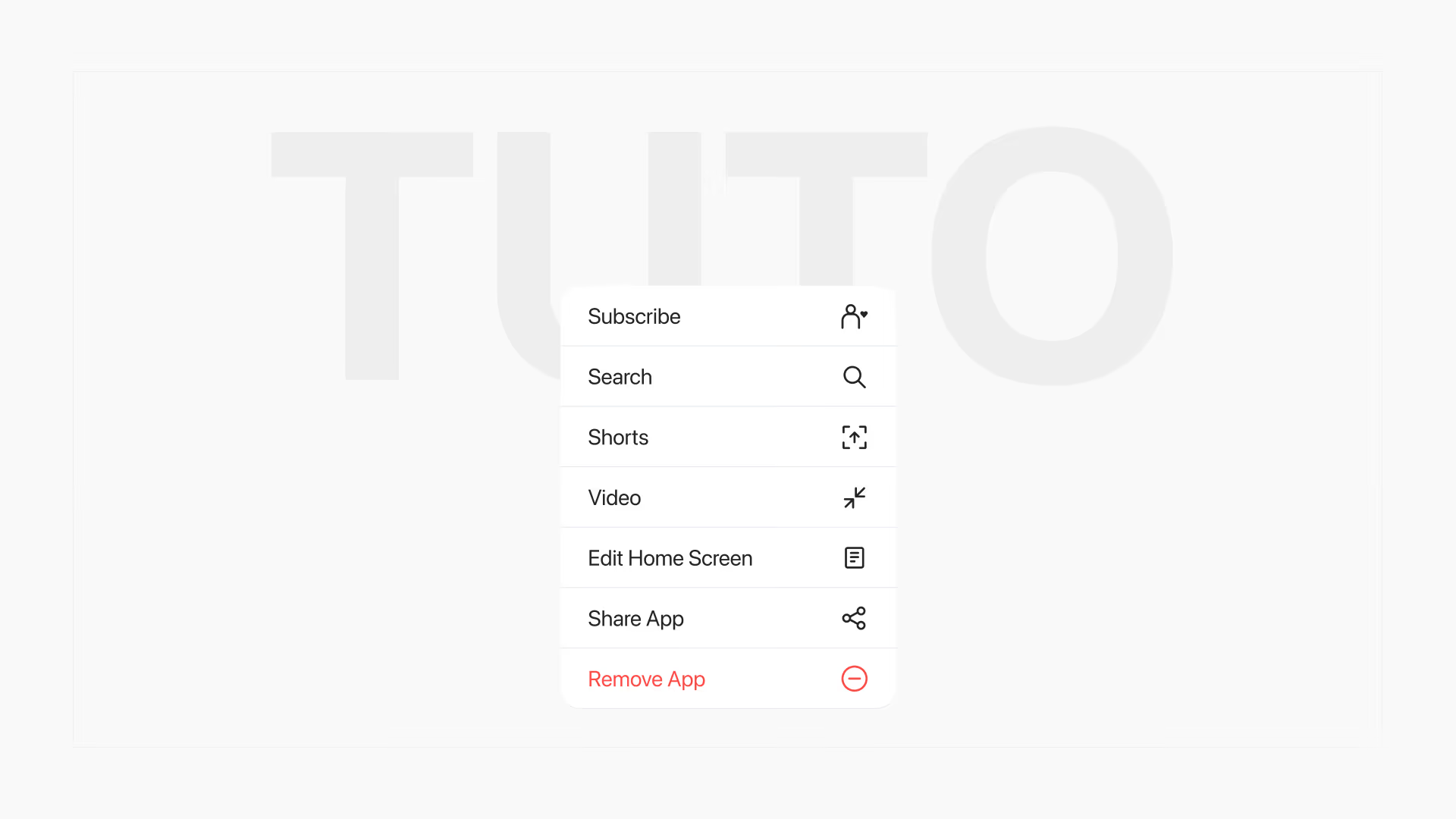
iOS Home Screen Quick Actions: intercept users before they delete your app
Since iOS 13, a long press on the icon opens a menu where you can add up to 4 actions, including a form before deletion. The same mechanic is implemented in React Native and in Swift.